


---------------(Lượt truy cập: 930)---------------
HTML Editors: Notepad, Notepad++, Dreamviewer CS6, NetBeans, ...
We can use other editors to learn HTML such as: Notepad, Notepad++, Dreamviewer CS6, NetBeans, ... But we only need a simple editor to learn HTML such as Notepad, Notepad++ or Sublime Text.
Steps to Create a Website Using Notepad:
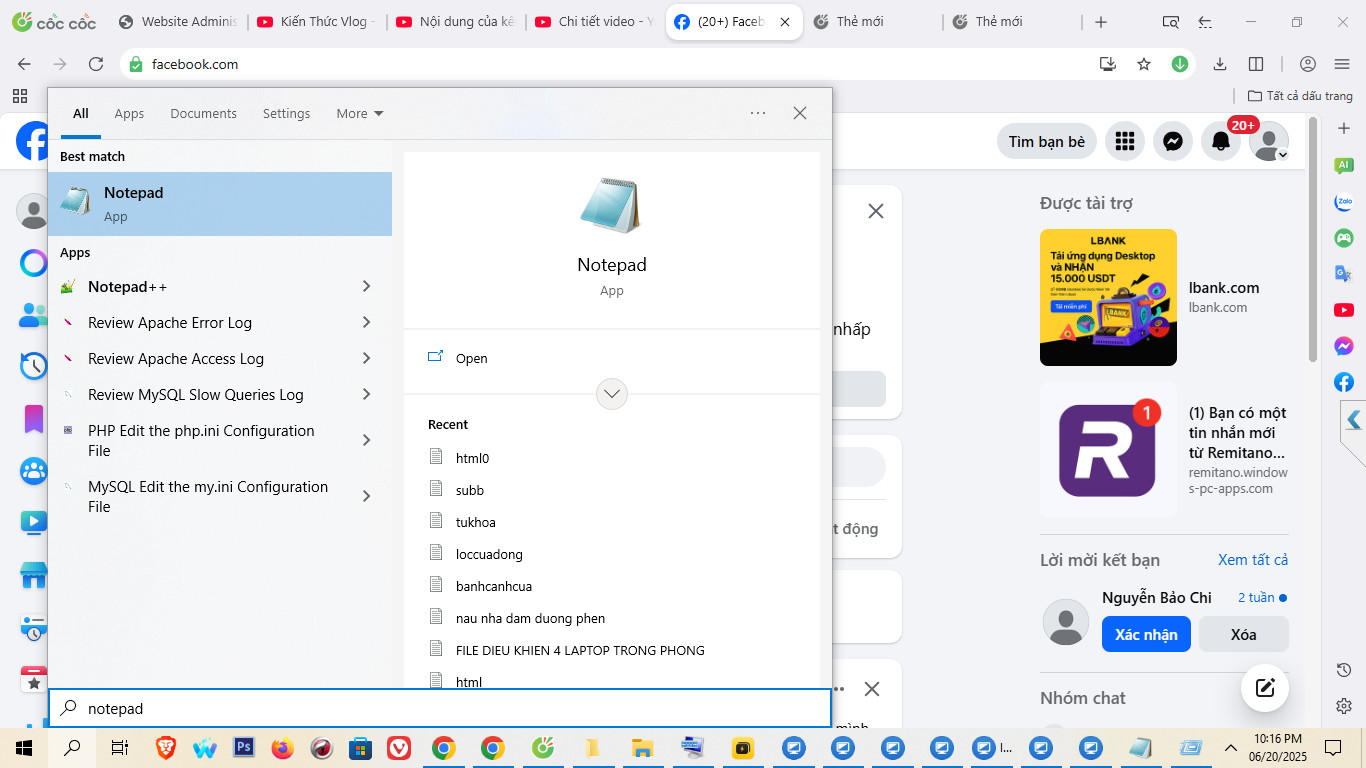
Step 1: On Windows Operating System Open Notepad By:
Open the Start button in the lower left corner of the screen, type Notepad to search. Then, press Enter.
Step 2: Write a Piece of HTML in Notepad or Notepad++.
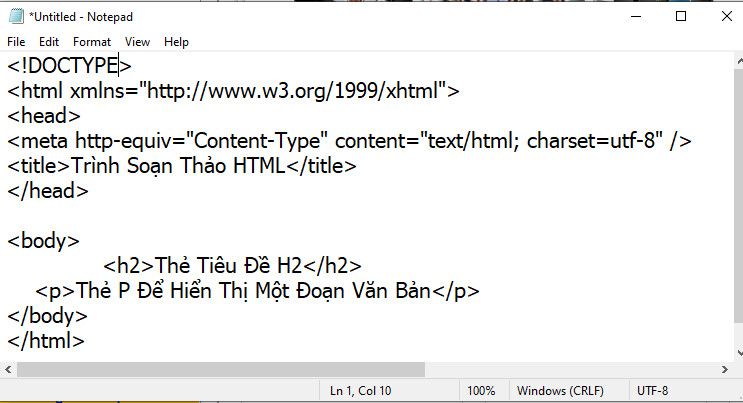
Step 3: Save the HTML page to display as follows:
Save this file to your computer, select File > Save
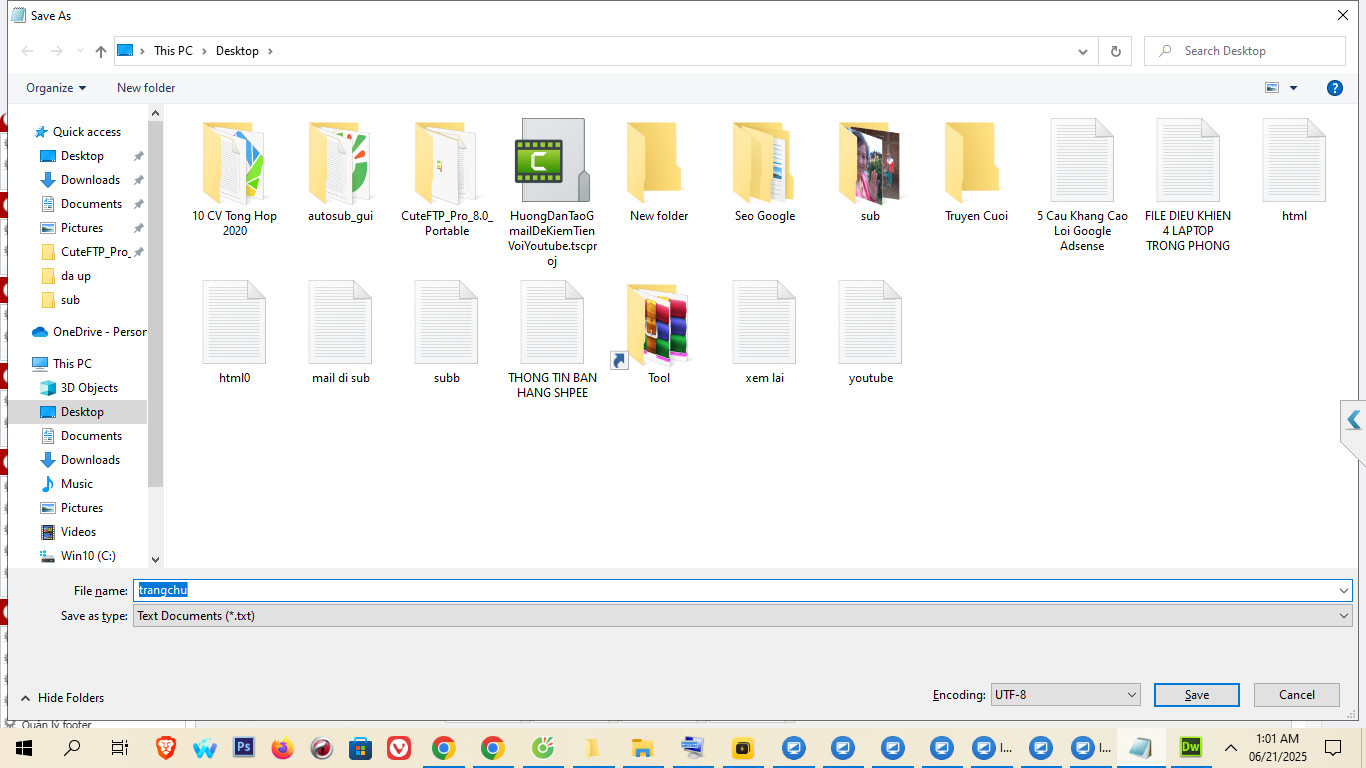
In the File Name box: Name the file with the syntax: file name .html or htm is fine. For example: trangchu.html or trangchu.htm
In frame Save As Type: All Files
The Encoding option is UTF-8.
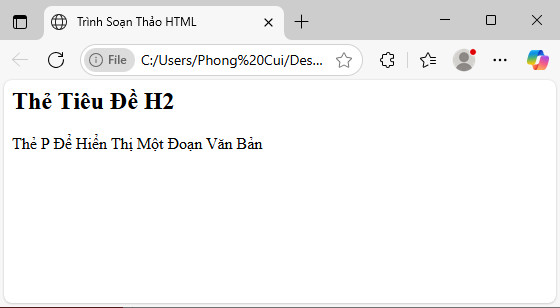
Step 4: Review HTML pages on Web browsers.
Open the file we just saved using a Web browser such as: Microsoft Edge, Firefox, Chorm, CocCoc, Opera,... (Double-click on the file you want to open, or right-click and select "Open with Microsoft Edge, Firefox, Chorm, CocCoc, Opera,..)
The result is as shown below:
Good luck to you!!!
Other Posts
- Introduction What is HTML Programming Language? (23.05.2025)
- Main Elements of HTML (14.05.2025)